Physical Address
304 North Cardinal St.
Dorchester Center, MA 02124
Physical Address
304 North Cardinal St.
Dorchester Center, MA 02124
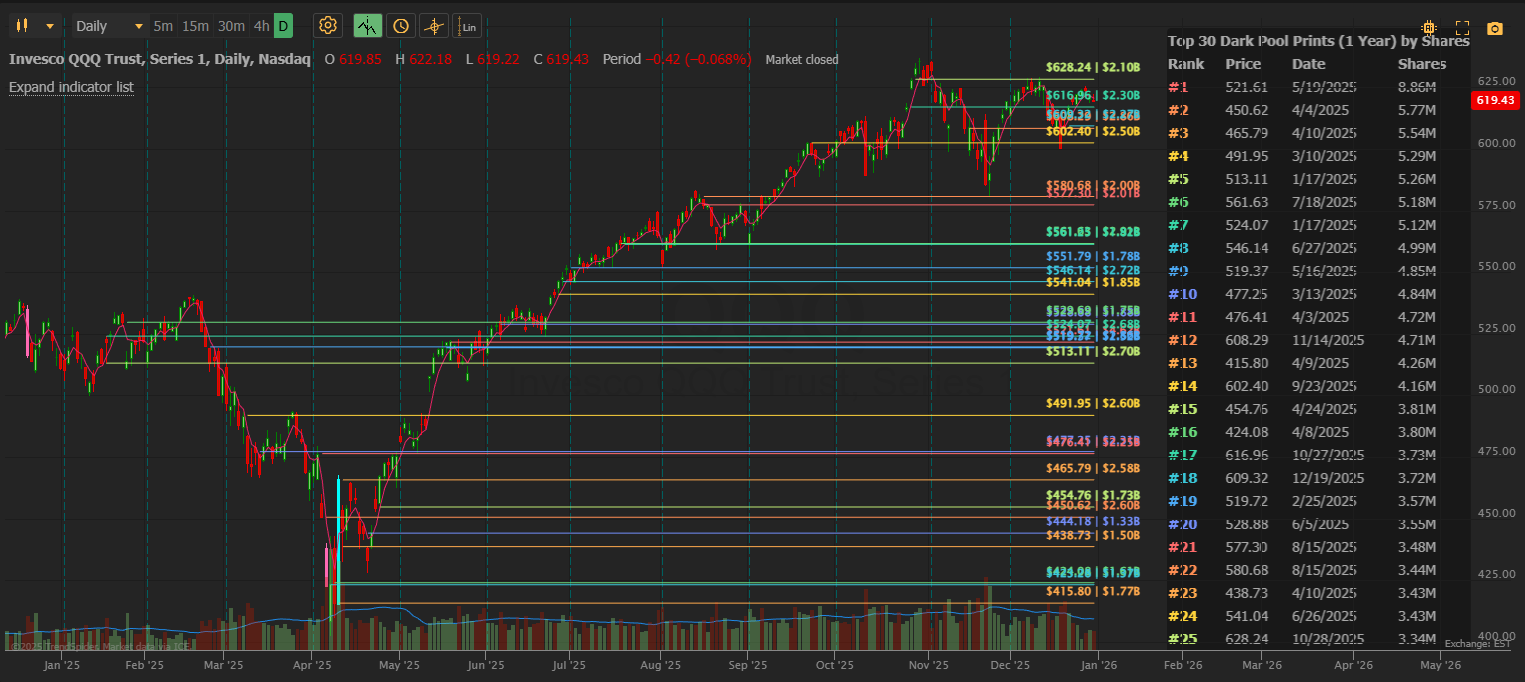
This guide gets you from zero to seeing dark pool levels on your TrendSpider chart as fast as possible. No fluff — just the essentials to get started.
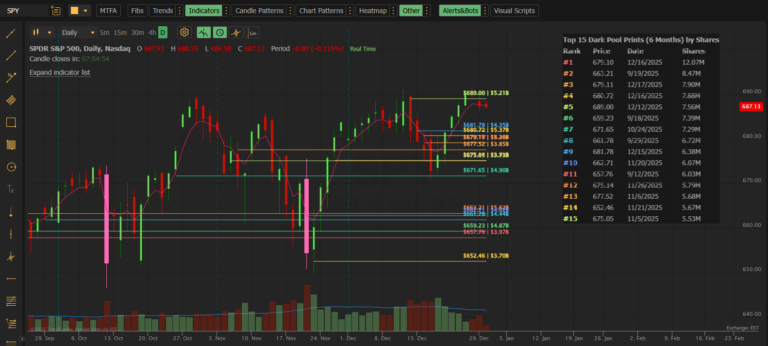
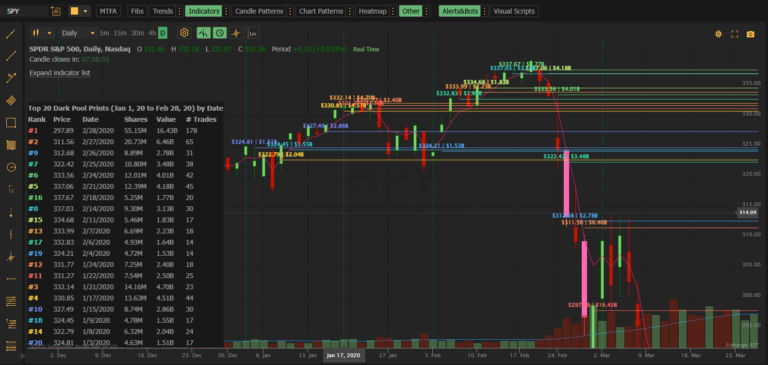
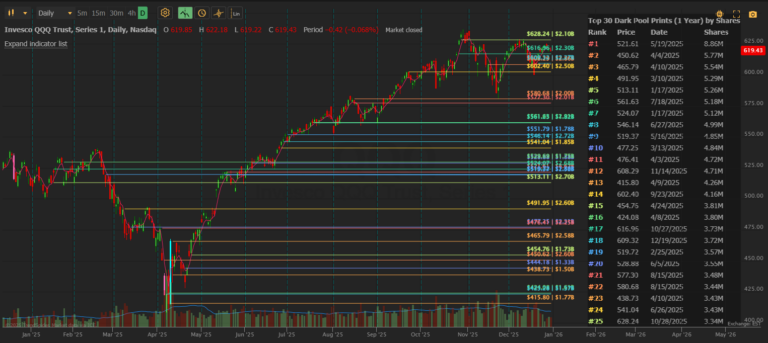
I)You should immediately see horizontal lines and a data table appear.
Each horizontal line represents an actual institutional dark pool trade:
| Color | Meaning |
|---|---|
| Red / Orange | Largest trades by share volume |
| Yellow / Green | Medium-sized trades |
| Blue / Purple | Smaller trades |
Lines start at the date the trade occurred and extend to the right.
The table in the top-right shows details for each level:
| Column | Meaning |
|---|---|
| Rank | #1 = largest trade by shares |
| Price | Exact execution price |
| Date | When it traded |
| Shares | Total shares at this level |
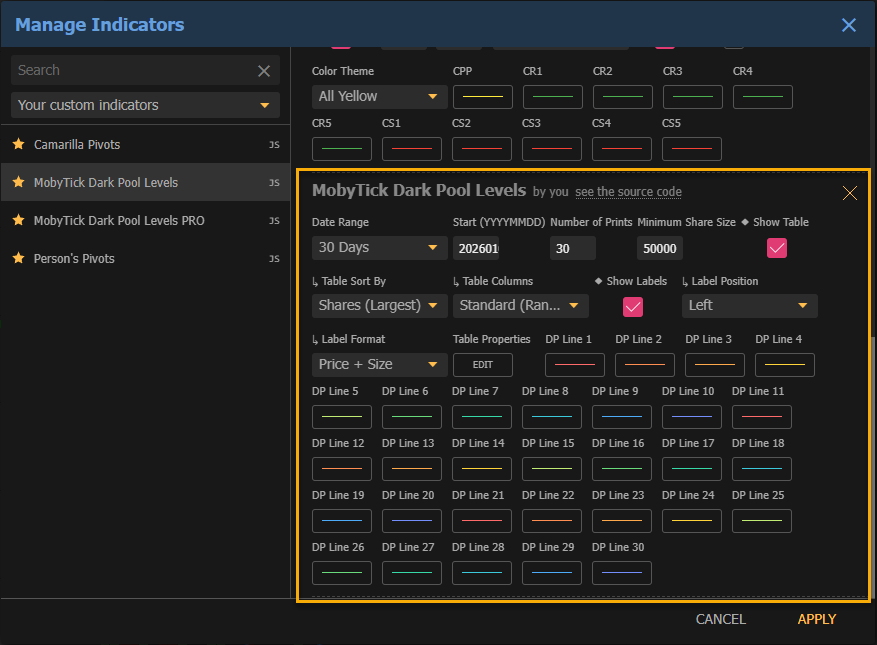
Click the indicator name to open settings, then choose based on how you trade:
| Setting | Value |
|---|---|
| Date Range | Today or Week |
| Number of Prints | 10-15 |
| Minimum Share Size | 50,000 |
| Setting | Value |
|---|---|
| Date Range | 30 Days or 60 Days |
| Number of Prints | 20-25 |
| Minimum Share Size | 100,000 |
| Setting | Value |
|---|---|
| Date Range | 90 Days or 1 Year |
| Number of Prints | 30 |
| Minimum Share Size | 200,000+ |
Support: When price drops toward a dark pool level, watch for a bounce. Institutions often defend their positions.
Resistance: When price rises toward a dark pool level, watch for rejection. This could be a distribution zone.
Clusters: Multiple lines close together = high-conviction institutional zone.
For powerful analysis, add the indicator twice:
| Instance | Settings |
|---|---|
| First | Date Range = Today, Minimum Size = 50K |
| Second | Date Range = 30 Days, Minimum Size = 200K |
Now you see today’s fresh activity against the major historical levels — a powerful confluence signal.
You’re now seeing what institutions are doing — in near real-time.
Next steps:
| Problem | Solution |
|---|---|
| No lines showing | Increase Date Range to 30+ days, decrease Minimum Share Size |
| Lines bunched at left edge | Zoom out on your chart or decrease Date Range |
| Too many lines | Increase Minimum Share Size, decrease Number of Prints |
For more help, see the full FAQ & Troubleshooting page.
Need help? Contact support at support@mobyticktrading.com