Answers to common questions and solutions to common issues
General Questions
What is dark pool data?
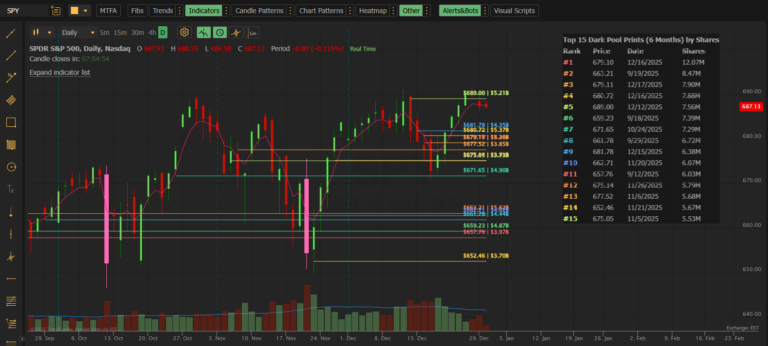
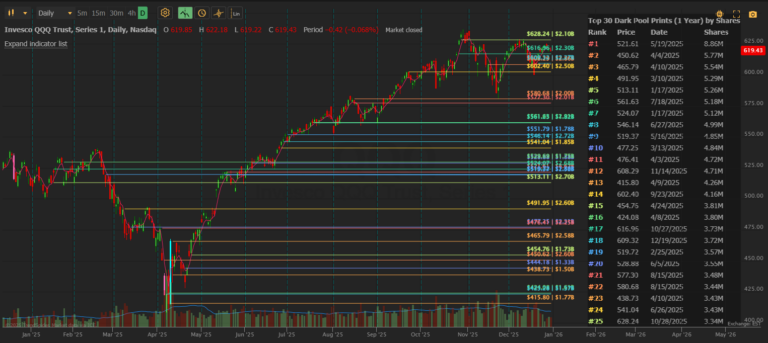
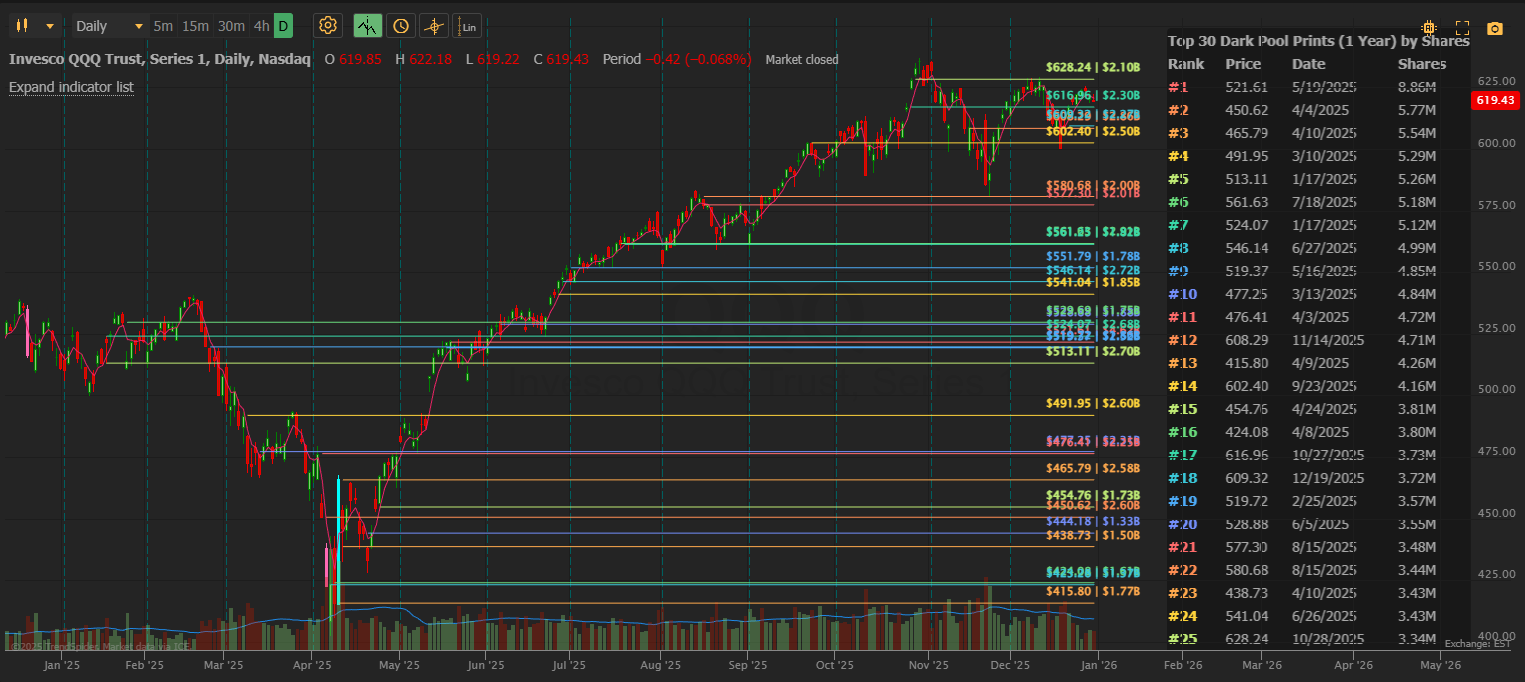
Dark pools are private exchanges where institutions execute large block trades without revealing their orders to the public market. These trades still get reported to the tape, but most retail traders never see them. Dark Pool Levels brings this institutional activity directly to your TrendSpider chart.
Where does the data come from?
Our data comes from the exchanges. When a dark pool trade executes, it’s reported to the tape and captured in our system. We aggregate trades by price level so you can see the total institutional activity at each price.
How quickly does data update?
Dark Pool Levels (Standard) updates within 5 minutes of trades being reported. For faster updates (within 60 seconds), see Dark Pool Levels PRO.
What stocks are covered?
Over 10,000 US stocks and ETFs are covered, including all major indices (SPY, QQQ, IWM), large-caps, mid-caps, and most actively traded small-caps.
How far back does the data go?
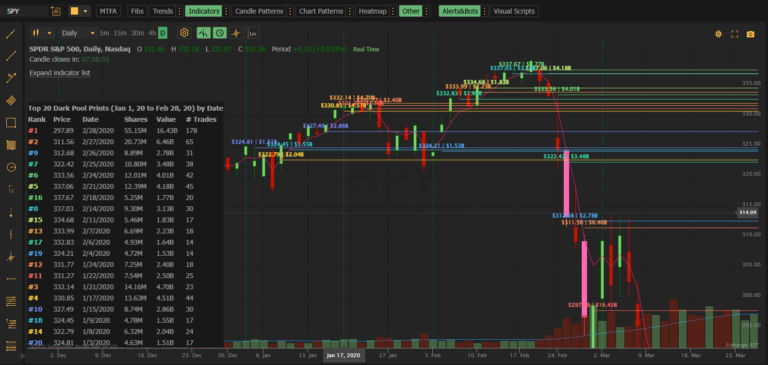
The Standard indicator allows lookback up to 1 year. Dark Pool Levels PRO extends this to January 2020, allowing historical analysis of major market events.
Understanding the Data
What does “aggregated by price” mean?
If 10 separate institutions each bought 100,000 shares at $150.00, you’ll see one line at $150.00 showing 1,000,000 total shares and “10” in the # Trades column. This gives you the full picture of institutional interest at that level.
Why is Rank #1 not always at the top of the table?
Rank is always determined by share volume (#1 = most shares). But you can sort the table by Price or Date for different views. The rank numbers stay the same — only the display order changes.
What’s the difference between Shares and Value?
| Column | Meaning | Example |
|---|---|---|
| Shares | Number of shares traded | 2,500,000 |
| Value | Dollar value (Shares × Price) | $425M |
Both are useful. Shares shows raw volume; Value helps compare across different stock prices.
Why do some stocks have very few prints?
Lower-volume stocks have less institutional dark pool activity. If you’re seeing few or no lines:
- Increase your Date Range
- Decrease your Minimum Share Size
- The stock may genuinely have limited institutional interest
Settings & Customization
What’s the best Date Range setting?
It depends on your trading style:
| Style | Recommended Range |
|---|---|
| Day trading | Today or Week |
| Swing trading | 30 Days or 60 Days |
| Position trading | 90 Days to 1 Year |
What Minimum Share Size should I use?
This depends on the stock’s typical volume:
| Stock Type | Recommended Minimum |
|---|---|
| Mega-caps (AAPL, MSFT, SPY) | 200,000 – 500,000 |
| Large-caps | 100,000 – 200,000 |
| Mid-caps | 50,000 – 100,000 |
| Small-caps | 50,000 |
Can I hide the table?
Yes. In settings, uncheck “◆ Show Table” to display only the lines.
Can I hide the labels?
Yes. In settings, uncheck “◆ Show Labels” to display only the lines without text labels.
Can I change line colors?
Yes. In the indicator settings panel, you’ll see each “DP Line” listed with a color swatch. Click EDIT to customize colors.
What do the Table Column presets mean?
| Preset | Columns Shown |
|---|---|
| Standard | Rank, Price, Date, Shares |
| Minimal | Rank, Price |
| Compact | Rank, Price, Shares |
| Full | All columns |
Choose based on how much detail you want and your available chart space.
Troubleshooting
I don’t see any lines on my chart
Try these steps in order:
- Increase Date Range — Change from “Today” to “30 Days” or “90 Days”
- Decrease Minimum Share Size — Try 50,000 (the minimum)
- Check the stock — Very low-volume stocks may not have institutional dark pool activity
- Refresh the chart — Sometimes TrendSpider needs a refresh to pull new data
All my lines are bunched at the left side of the chart
This means the prints occurred at dates earlier than your visible chart range. Solutions:
- Zoom out on your chart to see more history
- Decrease your Date Range setting to show only recent prints
- Scroll your chart left to see where the prints occurred
The data seems old / not updating
Dark Pool Levels caches data for 5 minutes to optimize performance and automatically refreshes. If you are having issues:
- Change any setting and change it back — this forces a refresh
- Remove and re-add the indicator
- Refresh your browser/TrendSpider
For real-time updates (60-second refresh), consider Dark Pool Levels PRO.
I see “No dark pool prints found” in the table
This means no trades matched your criteria. Try:
- Increasing Date Range
- Decreasing Minimum Share Size
- A different stock with more institutional activity
Lines disappeared when I changed settings
TrendSpider requires a consistent number of painted elements. If lines disappear after changing settings:
- Remove the indicator completely
- Refresh your chart
- Re-add the indicator with your desired settings
Custom date field shows an error
The Custom Start date field must be within the valid range (past 1 year to today). If you see a validation error:
- Make sure the date is in YYYYMMDD format (e.g., 20250101)
- Ensure the date is not more than 1 year ago
- Ensure the date is not in the future
Subscription & Billing
How do I cancel?
You can cancel anytime through the TrendSpider store. Your access continues until the end of your billing period.
Is there a free trial?
Yes! TrendSpider offers a free trial so you can test Dark Pool Levels on your charts before subscribing.
What’s the difference between Standard and PRO?
| Feature | Standard ($39.95/mo) | PRO ($59.95/mo) |
|---|---|---|
| Data refresh | 5 minutes | 60 seconds |
| Max levels | 30 | 50 |
| Lookback period | 1 year | 5+ years (Jan 2020) |
| Custom end date | ❌ | ✅ |
| Historical ranges | ❌ | ✅ |
PRO is ideal for:
- Active day traders who need real-time updates
- Researchers analyzing historical market events (COVID crash, etc.)
- Traders who want more levels on their charts
Still Need Help?
If your question isn’t answered here, contact us directly:
Email: support@mobyticktrading.com
We typically respond within 24 hours on business days.