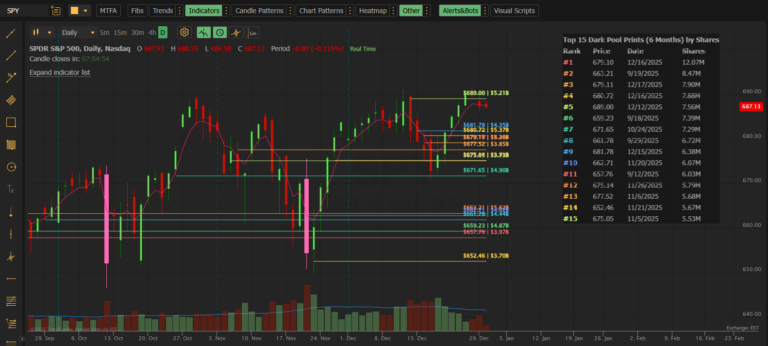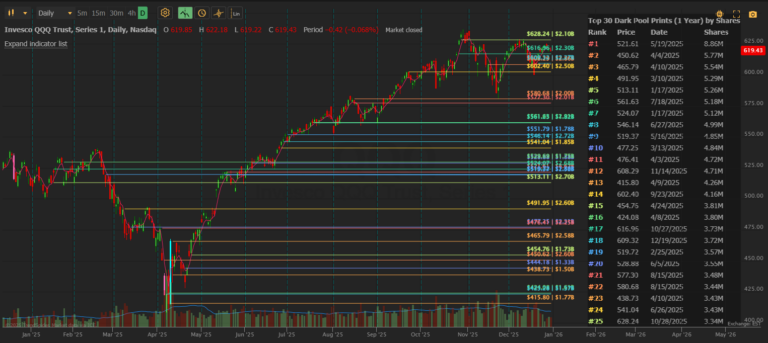
60-second updates. 50 levels. 6+ years of history. The complete institutional edge.
For Traders Who Need More
Dark Pool Levels changed the game by showing you where institutions are trading. Dark Pool Levels PRO takes it further — with real-time updates, more levels, and the ability to research any market period back to January 2020.
If you’re serious about tracking institutional flow, PRO gives you the complete picture.
What’s Different in PRO?
| Feature | Standard | PRO |
|---|---|---|
| Data Refresh | 5 minutes | 60 seconds |
| Max Levels | 30 | 50 |
| Lookback Period | 1 year | 6+ years (Jan 2020) |
| Custom End Date | ❌ | ✅ |
| Historical Analysis | ❌ | ✅ |
| Price | $39.95/mo | $59.95/mo |
Why PRO Matters
⚡ 60-Second Real-Time Updates
In fast markets, 5 minutes is an eternity. PRO delivers dark pool prints to your chart within 60 seconds of execution.
This matters when:
- You’re day trading and need to see institutional activity as it happens
- A stock is breaking out and you want to know if institutions are participating
- You’re watching for accumulation or distribution in real time
- News drops and you need to see how smart money is reacting
With PRO, you’re seeing institutional trades almost as fast as they’re reported. No more waiting. No more wondering.
📊 50 Levels on Your Chart
Standard gives you 30 levels. For many traders, that’s enough.
But if you’re analyzing:
- High-volume stocks like SPY, QQQ, AAPL, TSLA
- Extended time periods (90 days+)
- Multiple institutional zones
…you’ll want more levels to see the complete picture.
50 levels means:
- More institutional zones visible at once
- Better cluster identification
- Fuller view of where smart money is positioned across the entire range
📅 Historical Date Ranges Back to January 2020
This is the feature that makes PRO a research powerhouse.
Standard limits you to the past year. PRO opens up 5+ years of institutional data — back to January 1, 2020.
Why this matters:
| Historical Period | What You Can Analyze |
|---|---|
| COVID Crash (Feb-Mar 2020) | Where institutions bought the bottom |
| 2020-2021 Bull Run | Accumulation patterns during the rally |
| 2022 Bear Market | Distribution zones before major drops |
| 2023 Recovery | Smart money re-entry points |
| Fed Rate Decisions | Institutional positioning around FOMC |
| Earnings Seasons | Historical institutional behavior around reports |
Example use case:
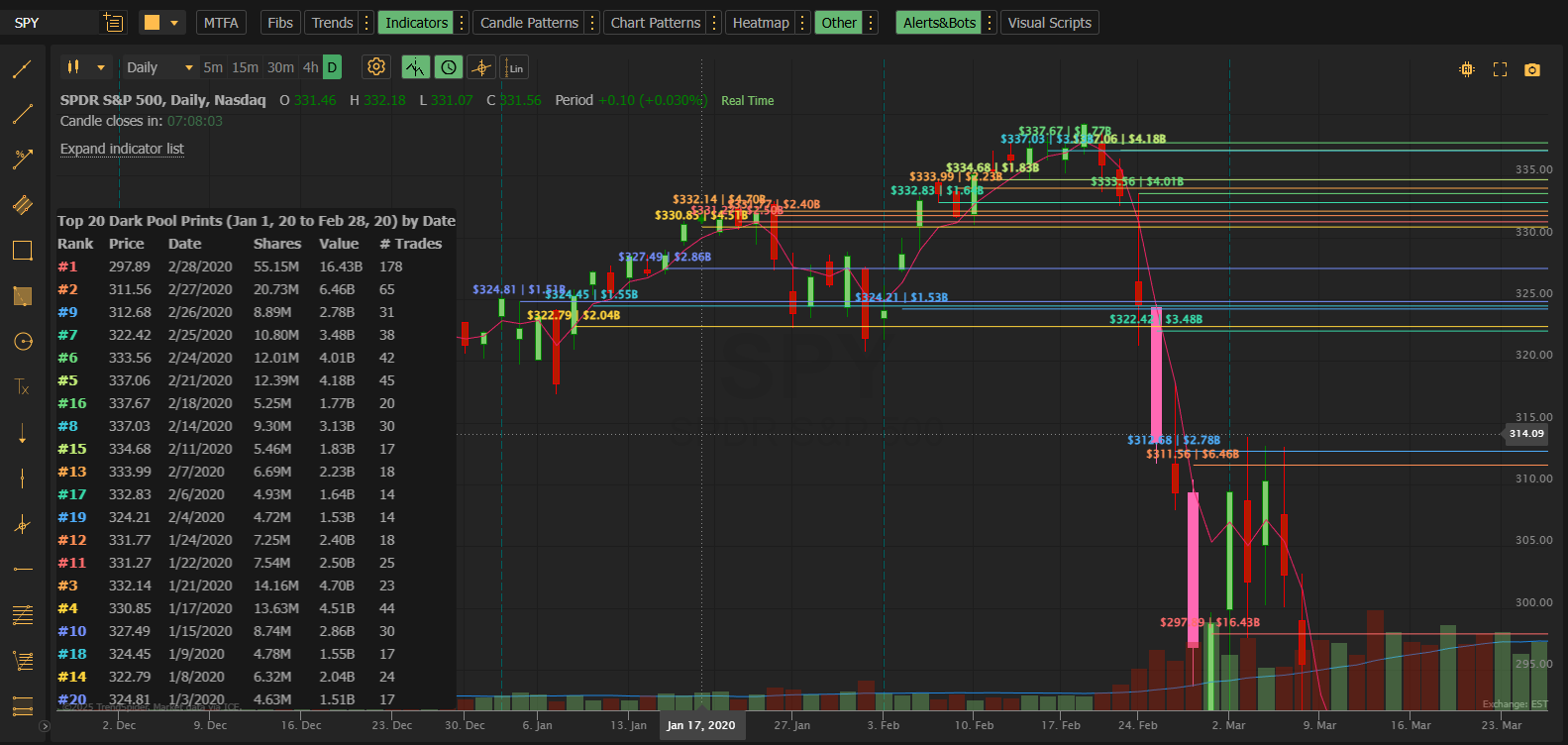
You want to understand how institutions behaved during the COVID crash. Set your date range:
- Start: January 1, 2020
- End: March 31, 2020
Now you can see exactly where the largest dark pool prints occurred during one of the most volatile periods in market history. Where did institutions buy? Where did they sell? What levels did they defend?
This kind of historical analysis is impossible with delayed or limited data. PRO makes it simple.
🎯 Custom End Dates
Standard always ends at “today.” PRO lets you set both start AND end dates.
Why custom end dates matter:
| Scenario | Start Date | End Date |
|---|---|---|
| Analyze Q4 2024 only | Oct 1, 2024 | Dec 31, 2024 |
| Study pre-earnings period | 30 days before earnings | Earnings date |
| Research specific correction | Top of range | Bottom of range |
| Compare two time periods | Period 1, then Period 2 | Separate analyses |
This transforms Dark Pool Levels from a trading tool into a research platform.
Who PRO Is For?
Active Day Traders
You need real-time data. Period.
When you’re in and out of positions multiple times per day, a 5-minute delay means you’re trading on stale information. PRO’s 60-second updates keep you in sync with institutional flow as it happens.
PRO setup for day trading:
- Date Range: Today
- Number of Prints: 20-30
- Minimum Share Size: 50,000
- Watch for fresh prints appearing throughout the session
Swing Traders Who Want an Edge
You hold positions for days or weeks. You want to enter where institutions are positioned and exit before they do.
PRO’s extended lookback and 50 levels help you identify:
- Major institutional zones across your holding period
- Historical levels that may act as future support/resistance
- Clusters of institutional activity that define the range
PRO setup for swing trading:
- Date Range: 60-90 Days
- Number of Prints: 40-50
- Minimum Share Size: 100,000+
- Look for clusters and levels near current price
Market Researchers & Analysts
You study market structure. You want to understand how institutions behave during specific events.
PRO’s historical date ranges let you:
- Analyze any period back to January 2020
- Compare institutional behavior across market cycles
- Research how dark pool levels performed during crashes and rallies
- Build a deeper understanding of institutional positioning patterns
PRO setup for research:
- Date Range: Custom (specific period)
- Number of Prints: 50
- Minimum Share Size: Varies by analysis
- Export findings for further study
Options Traders
You trade around key levels. Knowing where institutions are positioned helps you:
- Identify strikes where gamma exposure may cause pinning
- Find support/resistance for credit spread placement
- Spot accumulation that may precede large moves
PRO’s real-time updates and extended levels give you more data points to inform your options strategies.
PRO Features in Detail
All Standard Features, Plus More
Everything in Standard is included:
- ✅ Horizontal price levels from real institutional trades
- ✅ Dynamic data table with Rank, Price, Date, Shares, Value, # Trades
- ✅ Customizable labels (16 format options)
- ✅ 9 table column presets
- ✅ Sort by Shares, Price, or Date
- ✅ Toggle table and labels on/off
- ✅ 10,000+ stocks covered
- ✅ Color-coded lines by rank
PRO-Exclusive Features
Real-Time 60-Second Refresh
Data updates within 60 seconds of trades being reported to the tape. This is as close to real-time as dark pool data gets.
50 Price Levels
See up to 50 institutional transactions on your chart at once. More levels = more complete picture of institutional positioning.
Extended Date Range Options
| Option | Lookback |
|---|---|
| Today | Current session |
| Week | 7 days |
| 30 Days | 1 month |
| 60 Days | 2 months |
| 90 Days | 3 months |
| 6 Months | 6 months |
| 1 Year | 12 months |
| 2 Years | 24 months |
| 3 Years | 36 months |
| 4 Years | 48 months |
| 5 Years | 60 months |
| All | Back to Jan 2020 |
| Custom | Any date range |
Custom Start AND End Dates
Set both boundaries of your analysis:
- Custom Start: Any date from January 1, 2020 to today
- Custom End: Any date from your start date to today
The table title automatically shows your selected date range (e.g., “Jan 15, 20 to Mar 31, 20”) so you always know what period you’re viewing.
Smart Date Validation
If you accidentally set an end date before your start date, PRO automatically corrects it to prevent errors. The table displays the actual dates being used, so you always know what you’re seeing.
Real-World PRO Scenarios
Scenario 1: Trading a Breakout in Real Time
NVDA is approaching resistance at $140. You have PRO loaded with Date Range: Today.
At 10:47 AM, a fresh dark pool print appears: 2.1M shares at $139.85.
What this tells you: Institutions just committed $294M at this level. If price breaks above, they’re positioned for upside. If it fails, this becomes a reference level.
With Standard’s 5-minute delay, you might not see this print until the breakout has already happened or failed.
Scenario 2: Researching the crash of 2020
You want to understand where institutions sold during the crash.
PRO settings:
- Start Date Range: Custom → 202000101
- End Date Range: Custom → 20200323 (the bottom)
- Number of Prints: 50
- Symbol: SPY
Now you see the 50 largest institutional dark pool prints during the crash. Where did smart money start selling? What levels did they accumulate? This historical intelligence informs how you might trade the next major correction.
The Standard indicator can’t look back this far.
Scenario 3: Pre-Earnings Positioning
AAPL reports earnings next week. You want to see how institutions have been positioning over the past month.
PRO settings:
- Start Date Range: 30 Days
- End Date Range: Today
- Number of Prints: 50
- Minimum Share Size: 200,000
You see heavy accumulation between $178-$180 over the past two weeks. Multiple prints, high conviction.
Interpretation: Institutions are building positions ahead of earnings. These levels likely become support if earnings disappoint, or a base for continuation if earnings beat.
Scenario 4: Comparing Two Time Periods
You want to compare institutional positioning before and after a major Fed announcement.
Analysis 1 (Before):
- Start: 2 weeks before FOMC
- End: Day before FOMC
Analysis 2 (After):
- Start: FOMC day
- End: 2 weeks after FOMC
Compare the prints. Did institutions accumulate before the announcement? Did they distribute after? Where are the new levels vs. the old ones?
This kind of comparative analysis requires custom end dates — a PRO-only feature.
PRO Settings Reference
Data Settings
| Setting | Description | Default | Options |
|---|---|---|---|
| Start Date Range | How far back to begin | 30 Days | Today through All, or Custom |
| End Date Range | Where to end the range | Today | Today through All, or Custom |
| Custom Start | Specific start date (YYYYMMDD) | Today’s date | Jan 1, 2020 to today |
| Custom End | Specific end date (YYYYMMDD) | Today’s date | Jan 1, 2020 to today |
| Number of Prints | How many levels to display | 30 | 1 to 50 |
| Minimum Share Size | Filter threshold | 50,000 | 50,000 to 100,000,000 |
Table Settings
| Setting | Description | Default | Options |
|---|---|---|---|
| ◆ Show Table | Toggle table visibility | On | On/Off |
| ↳ Table Sort By | Row ordering | Shares (Largest) | Shares, Price, Date |
| ↳ Table Columns | Which columns to show | Standard | 9 presets |
Label Settings
| Setting | Description | Default | Options |
|---|---|---|---|
| ◆ Show Labels | Toggle label visibility | On | On/Off |
| ↳ Label Position | Where labels appear | Left | Left, Right |
| ↳ Label Format | Information displayed | Price + Size | 16 format options |
PRO vs. Standard: Which Should You Choose?
Choose Standard ($39.95/mo) If:
- You primarily swing trade or invest (5-minute delay is fine)
- You only need to see the past year of data
- 30 levels is enough for your analysis
- You don’t need custom end dates
Choose PRO ($59.95/mo) If:
- You day trade and need real-time institutional flow
- You want to research historical periods (COVID, 2022 bear market, etc.)
- You analyze high-volume stocks that need 50 levels
- You want maximum flexibility with custom date ranges
- You’re serious about understanding institutional positioning
The PRO Advantage
Every feature in PRO is designed to give you more information, faster.
| PRO Feature | Your Advantage |
|---|---|
| 60-second updates | See institutional trades before slower traders react |
| 50 levels | Complete picture of institutional positioning |
| 5-year history | Research any market period since 2020 |
| Custom end dates | Precise analysis of specific time windows |
For $20 more per month, you get:
- 4x faster data (60 sec vs 5 min)
- 67% more levels (50 vs 30)
- 6x longer history (6 years vs 1 year)
- Full date control (start AND end)
One better trade per month pays for the upgrade many times over.
Pricing
$59.95/month — Cancel anytime
Includes everything in Standard, plus:
- 60-second real-time updates
- Up to 50 price levels
- 6+ years of historical data (back to Jan 2020)
- Custom start AND end dates
- Direct support from MobyTick
Ready for the Complete Institutional Edge?
Stop trading with partial information. Get the full picture of where smart money is positioned — in real time, with full historical context.
Start Your Free Trial on TrendSpider
Resources
Complete Indicator reference guide
New to Dark Pool Levels? Start with the Standard version or read the Quick Start Guide.
Have questions? Check the FAQ & Troubleshooting page.
Need help? Contact support@mobyticktrading.com
Dark Pool Levels PRO for TrendSpider by MobyTick Trading — Institutional Intelligence for Serious Traders
Learn more at MobyTickTrading.com